
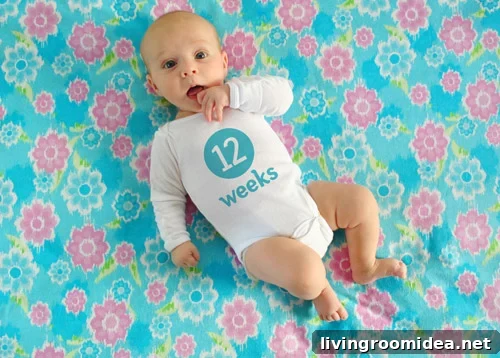
Many readers have asked here, on Flickr, and on Facebook how we create the weekly photos that document Clara’s first year. After answering several questions individually, we decided to write a concise how-to post so anyone curious about our process can follow along. Family photos make great DIY art and decor—especially when they’re framed or collected into a coffee table book, which we plan to do when all 52 images are complete.
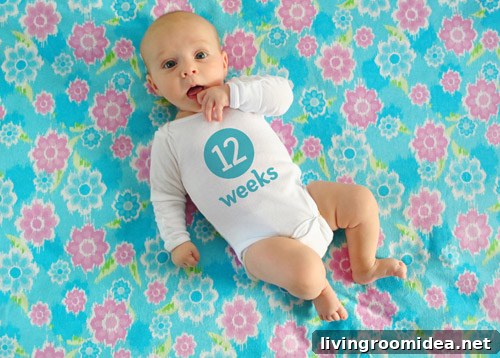
We’re not professional photographers or expert photo editors, but after a few months of shooting Clara on a fabric background and adding her age to her onesie in post-production, we’ve developed a reliable workflow that yields consistent, charming results.
- Clara wears a plain white onesie (we’ve used the same one until she outgrows it). We add the age text in Photoshop afterward.
- Each background requires only one yard of fabric, keeping the project affordable.
- We usually buy fabric at discount stores like Hancock Fabrics or JoAnn and use coupons to save more.
- Sometimes we use fabric, blankets, or pillowcases we already own, which costs nothing.
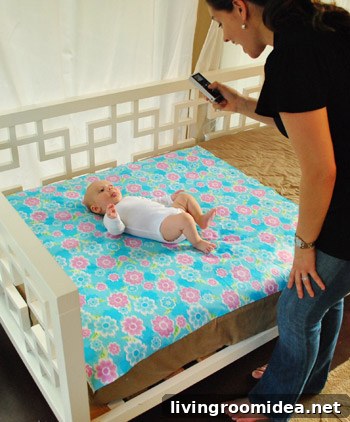
- We shoot in the evening (around 5:30–6:30pm) when the light is indirect, avoiding harsh shadows and squinty expressions.
- Our sunroom gets the most natural light, but you can achieve similar results by laying your baby on a blanket outside in the early evening.
- We use a Nikon D3000 and learned a lot about our camera from reader tips.
- To keep colors consistent across weeks we white balance the camera against the onesie before shooting (most DSLRs have a custom white balance setting).
- We usually take 75–100 photos each session to ensure we capture the perfect expression and pose.
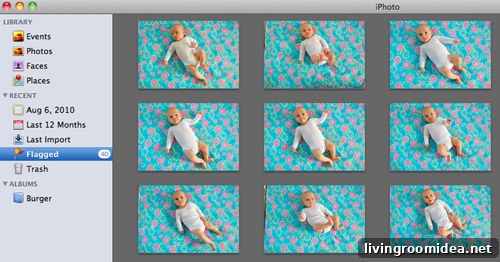
After a shoot, the first step is picking the single image we’ll use that week. We use Apple iPhoto to review and sort the shots, deleting unusable images and flagging favorites until we select the one that best represents Clara at that age—also trying to keep weekly compositions varied so the series feels interesting.
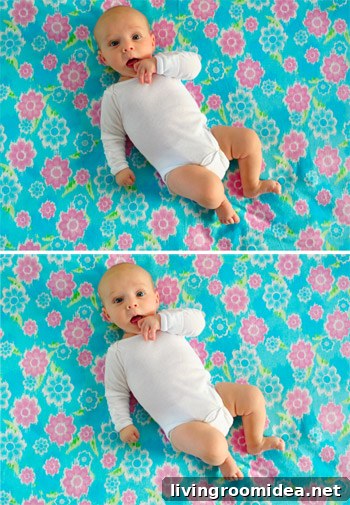
Next we open the chosen photo in Photoshop. Our basic edits include cropping and a slight exposure adjustment when needed. If the background fabric has stubborn wrinkles, we sometimes use the Healing Brush or Clone Stamp to smooth them. Below you can see the original camera output compared with a slightly lightened and de-wrinkled version.
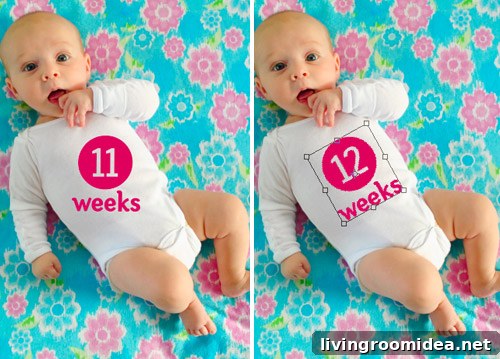
For the text, we typically duplicate the previous week’s text layer and update the number. If starting fresh, we use the Fyra font for the circled number and Otari for the word “weeks.” We place the text over the onesie and rotate it to match the body’s angle so it looks natural.
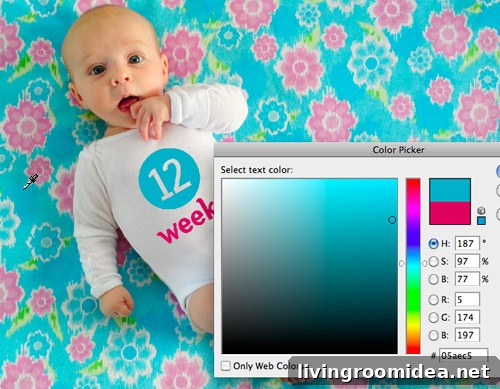
We usually pick a color taken from the fabric using the Color Picker so the text coordinates with the background. Sometimes we choose a complementary shade for contrast, depending on the look we want.
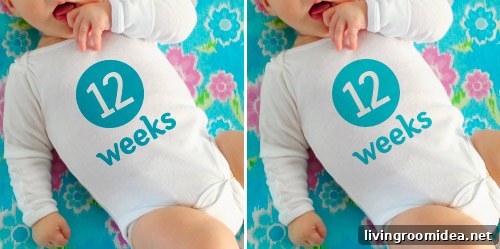
The key to making the text appear printed on the onesie is a combination of blend mode and opacity. We set the text layer to Multiply and reduce the opacity to roughly 60%–80% depending on the color’s saturation. After these steps we sometimes tweak the color slightly so it doesn’t look too washed out or too bright.
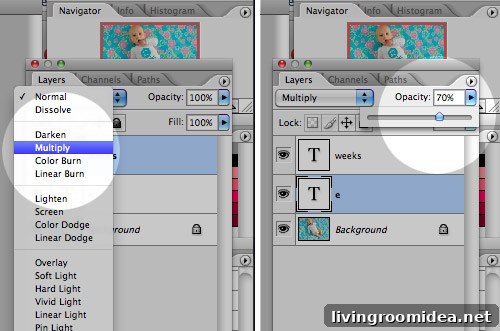
Here’s a before-and-after example showing the effect of Multiply and reduced opacity. The text picks up the garment’s shading and texture, making it read as though it’s part of the fabric. If the onesie is wrinkled, I sometimes need to chop and skew parts of the text to fit the folds, but it’s much easier when the fabric is smooth.
And that’s it—done!
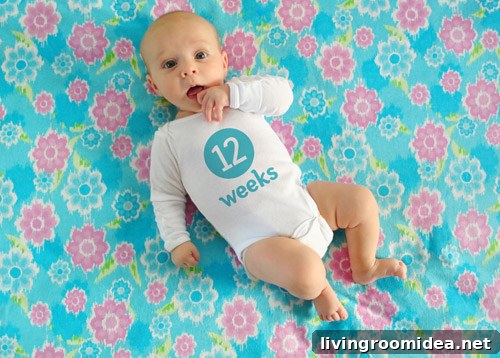
With nearly a quarter of the year behind us, we’re excited to collect all 52 photos and print them in a bound book for our coffee table and for grandparents. We think Clara will enjoy seeing her weekly growth and range of expressions as she gets older. We add the newest image to our Flickr set each week for anyone who wants to follow along.
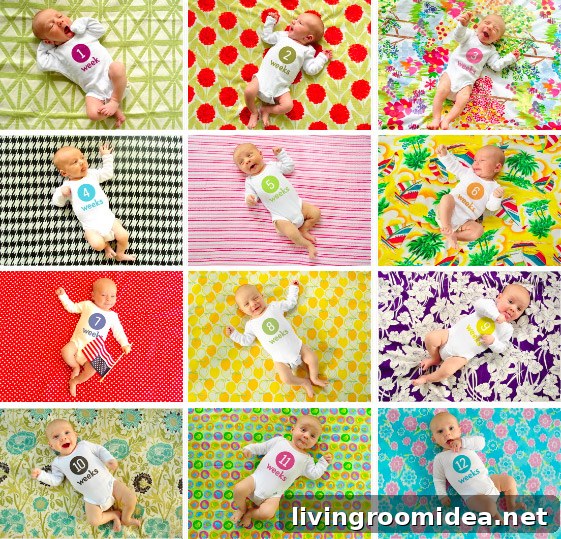
As for all the fabric we’ve collected, we’re still deciding whether to make a quilt, sew baby items, or create an eclectic banner or bunting to reuse for parties and future growth photos—at least until Clara is too old and embarrassed to indulge us.
We hope this step-by-step overview helps anyone who wants to document their child, pet, or family in a similar way. We’d love to hear how others capture changes in their lives or spots of inspiration you’ve seen from other projects.
PS: If you prefer not to use Photoshop, companies sell removable milestone stickers designed to apply directly to clothing as an alternative.