
You may have noticed we post a fair number of videos—about 80 if you count what’s on our video page:
After a few requests from fellow bloggers and family-documentarians, I wanted to share how we make our videos. We’re certainly not professionals, but over the years we’ve developed a practical, low-stress approach to shooting and editing that might help you capture projects or family moments better.
Quick overview:
- I’ve been making videos casually for about 15 years—so I’m a hobbyist with a lot of practice.
- You don’t need expensive gear. Many of our clips were shot on an inexpensive Flip camera or on phones.
- Treat video like photography: good lighting and a steady camera matter.
- We use iMovie for editing because it’s simple and comes preloaded on Macs.
- We often find music on Jamendo, which hosts tracks under Creative Commons licenses.
- Keep edits simple—avoid overusing flashy effects that distract from your story.
- Adopt an organization system for footage and be willing to delete what isn’t worth keeping.
My background: Sherry participates in every video, but she didn’t arrive with a background in video production. I’ve been tinkering with video since high school—8mm tapes, a video production class, and media studies in college gave me plenty of hands-on experience. That practice helped me gain confidence, but none of this was ever super formal or professional. The point is, you can learn a lot by doing.
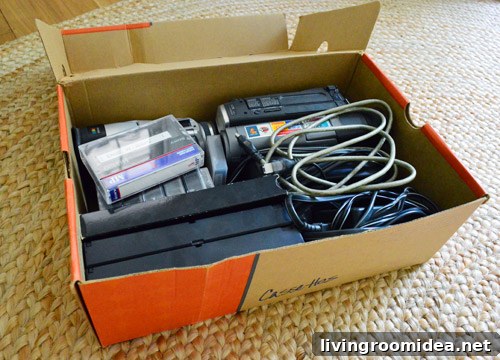
Our equipment: Many of our videos were shot with a Flip video camera, later the FlipHD. Those devices are discontinued now, but their legacy is that phone and consumer digital cameras have improved dramatically—so your phone is often perfectly fine. We also use iPhones and sometimes the built-in MacBook camera for quick shots, like a timelapse we recorded and edited directly in iMovie.
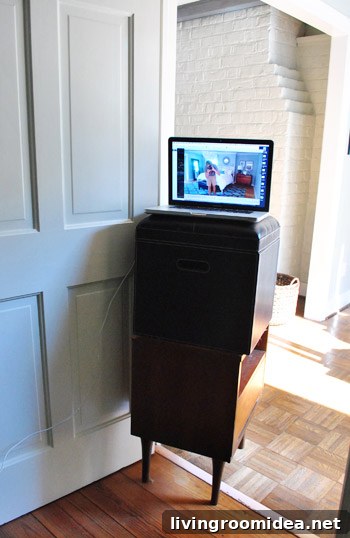
Here’s an example video we embedded to show how a simple setup can still look good:
You don’t have to splurge on gear. Millions of viewers accept home-shot clips, so focus on a few basics to improve quality.
Shooting tips: With small consumer cameras you’ll have limited manual controls, so these practical tricks will help:
- Find good lighting: Natural, diffused light often produces the best results. Move near a window, avoid harsh backlighting, or add lamps to fill shadows. For one of our videos I placed lamps on either side of the camera to avoid unflattering overhead shadows.
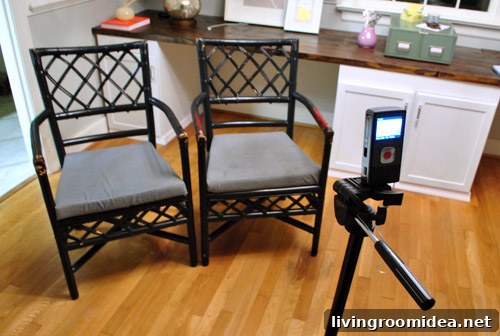
- Keep it steady: Smooth, slow movements make footage easier to watch. Avoid whipping the camera or sudden zooms. Use a tripod when possible—steady shots look far more professional.
- Be mindful of sound: If you plan to use on-camera audio, test it first. In-camera microphones can work well for close dialogue, but watch for background noises like appliances, phones, or barking dogs. Move closer to your subject or reduce noisy distractions during recording.
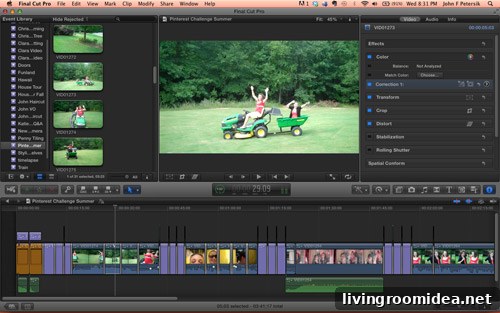
Editing software: We prefer iMovie because it’s accessible and easy to learn. It covers the basics—importing, trimming, arranging clips, adding photos, titles, music and exporting to formats like YouTube. For book-related projects we upgraded to Final Cut Pro, which offers professional features like advanced color correction and audio tools, but it has a steeper learning curve. If you’re starting out, stick with beginner-friendly software first.
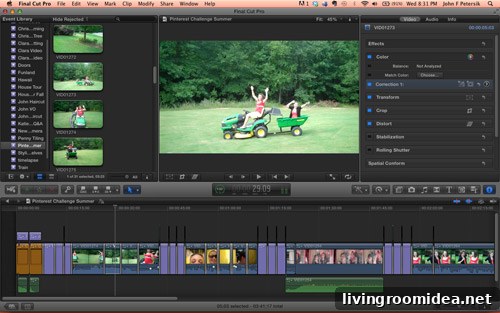
Editing approach: Our motto is keep it simple. Overusing effects and flashy transitions can make a video feel amateurish and distract from the story. Classic cuts, dissolves, and occasional transitions usually work best. If you use effects, choose one or two and apply them consistently so the style feels intentional, not chaotic.

Finding music: One frequent question is where our music comes from. We often use Jamendo, which hosts many tracks under Creative Commons licenses. That typically allows free use in non-commercial projects with proper attribution. If your video serves a commercial purpose—like promoting a book—you may need to license a track. Hunting for the right track on sites like Jamendo takes time, but it avoids copyright issues on platforms like YouTube and helps you discover less overplayed music.
Using licensed or Creative Commons music also prevents takedowns and replaces the hassle of replacing removed tracks later.
Organizing footage: We shoot a lot, especially since our daughter was born, and managing footage prevents storage chaos. Our rules:
- Be honest about what’s worth keeping—delete duds on the camera whenever possible.
- Have an intended use in mind for saved clips—will this be shared on our site, included in an annual recap, or uploaded to social media?
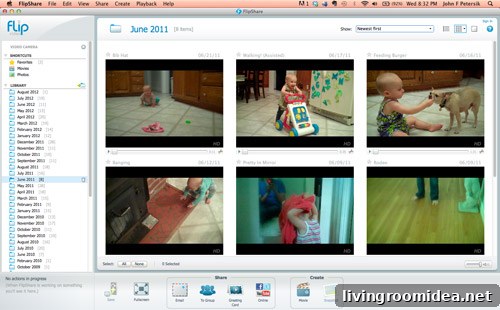
We upload clips to iPhoto or FlipShare, review them, and trash anything that won’t be used. For clips we keep, we store them in a videos folder and back them up with our regular backups and external drives. Uploading to YouTube, Vimeo, or private cloud storage provides an extra layer of backup while allowing privacy controls for personal clips.
There’s more to say, but these basics should help you start shooting and editing with confidence. I’m not an authority, so if you have tips, questions, or tricks you’ve discovered, please share them in the comments. We’re always learning and happy to trade ideas about capturing better videos and improving editing skills.